libc8
A C library and TUI toolkit for interpreting, assembling, and disassembling CHIP-8 and SCHIP code.


Table of contents
- Overview
- Terminology
- Building
- Graphics
- Testing
- Showcase
- Further reading
- Bugs
- License
Overview
libc8 provides tools for interpreting, assembling, and disassembling CHIP-8 and SCHIP programs. It is also possible to utilize this library in other software (e.g. an arcade program with support for multiple architectures).
In-depth overviews of the interpreter, assembler, and disassembler are available in docs/. Library documentation is available on the GitHub Pages site.
| Feature | Status |
|---|---|
| CHIP-8 instructions fully implemented* | ✅ |
| SCHIP 1.1 instructions fully implemented* | ✅ |
| XO-CHIP instructions fully implemented | ❌ |
| Interpreter: Full sound support | ✅ |
| Interpreter: Support for common quirks | ✅ |
| Interpreter: Custom color palettes | ✅ |
| Interpreter: Support for various fonts | ✅ |
| Debug mode: Step, continue, and breakpoints | ✅ |
| Debug mode: Print attributes such as PC, stack, value at an address, etc. | ✅ |
| Debug mode: Set attributes | ✅ |
| Debug mode: Load and save program state | ✅ |
| Assembler: Strings, 16-bit data words, and data bytes | ✅ |
| Assembler: Labels | ✅ |
| Disassembler: Address printing | ✅ |
| Disassembler: Label generation | ✅ |
[!NOTE] The interpreter passes all of Timendus's CHIP-8 and SCHIP tests except for the
DISP WAITquirk (identified byrin libc8).
Terminology
Throughout the code and documentation, shorthand terms are used to refer to specific components and attributes related to CHIP-8. The table below describes some of these terms in detail:
| Term | Definition |
|---|---|
A | The first nibble (0xF000) in an instruction |
X | The second nibble (0x0F00) in an instruction |
Y | The third nibble (0x00F0) in an instruction |
B | The fourth nibble (0x000F) in an instruction |
KK | The second byte (0x00FF) in an instruction |
NNN | The last 3 nibbles (0x0FFF) in an instruction |
I | The explicit value of the I register |
[I] | A pointer to memory starting at address I |
K | Register number to store next keypress |
F | Address where font data begins |
HF | Address where high-resolution font data begins |
R[X] | HP-48 flag register |
You should also take a look at the quirks section in the interpreter docs for quirk identifiers and what they mean.
Building
Building is only officially supported on Linux and macOS, but it should be possible to build on Windows with minimal difficulty.
You must have CMake installed with a minimum version of 3.31.6, SDL2, and a C99-compatible C compiler (e.g. GCC or Clang). On Windows, WSL or MinGW may be used to build and install the library.
Flags
-DTEST=ON- Build the test suite.-DTOOLS=OFF- Do not build the example tools (chip8,chip8as, andchip8dis).-DSDL2=OFF- Do not use SDL2 for graphics (required for NCURSES or custom graphics).-DNCURSES=ON- Use ncurses for graphics instead of SDL2.-DX11=ON- Use X11 for keyboard event handling (used alongside NCURSES). This will change the keyboard delay rate for your entire desktop, so use with caution.-DHOMEBREW=OFF- Do not assume SDL2 is installed via Homebrew if you are using macOS.
Linux / macOS Build Instructions
This will build and install libc8 as well as the example tools.
Graphics
Graphics may be rendered using SDL2 or ncurses. SDL2 is the default graphics library. To use ncurses, you must add the following flags to cmake: -DSDL2=OFF -DNCURSES=ON. The ncurses-based graphical environment has no support for colors or sound.
The terminal environment does not allow for very good keyboard event handling, so keyboard input in ncurses by default is very unreliable. If you are using X11, the X11 flag (-DX11=ON) may be set in order to get somewhat reliable key event handling.
[!CAUTION] The X11 flag will change the keyboard delay rate for your entire desktop. This means that, while
chip8is running (and after if it exits improperly), all keyboard input throughout your X11 session will have an unusably high repeat rate for normal keyboard use.
If you would like to use a different graphics library, run cmake with -DSDL2=OFF and modify Graphics_Required in CMakeLists.txt. If c8_simulate() is ever called in your code, you must implement these functions with your preferred graphics library:
void c8_deinit_graphics(void)int c8_init_graphics(void)void c8_render(c8_display_t *, int *)void c8_sound_play(void)void c8_sound_stop(void)int c8_tick(int *, int)
Note: the all and tools targets require SDL2 to be ON.
Testing
Testing is done using ctest and Unity.
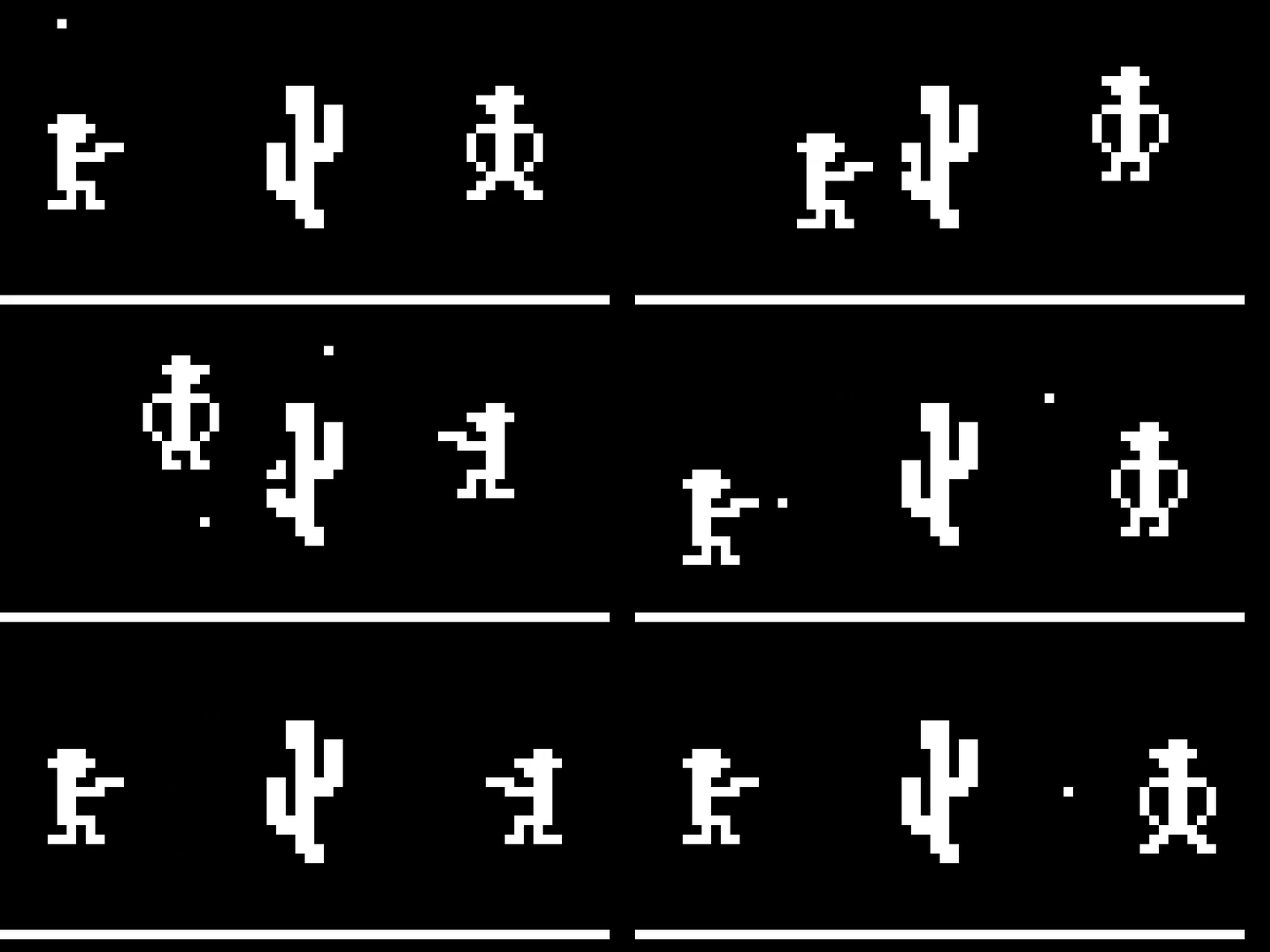
Showcase
The libc8 CHIP-8 interpreter running Outlaw by John Earnest:
Further Reading
- Cowgod's Chip-8 Technical Reference
- S-CHIP 1.1 Reference
- Octo
- CHIP-8 Extensions and Compatibility
- Timendus's CHIP-8 Test Suite
Bugs
If you find a bug, submit an issue, PR, or email me with a description and/or patch.
License
Copyright (c) 2019-2026 Ben O'Neill ben@o.nosp@m.neil.nosp@m.l.sh. This work is released under the terms of the MIT License. See [LICENSE](LICENSE) for the license terms.
